
Instant Voice Translate
EruditeTravel & Local
4.83.45K Reviews
- Version
- 15.2.0
- Installs
- 10.00M
- Age Rating
- Everyone
Screenshots

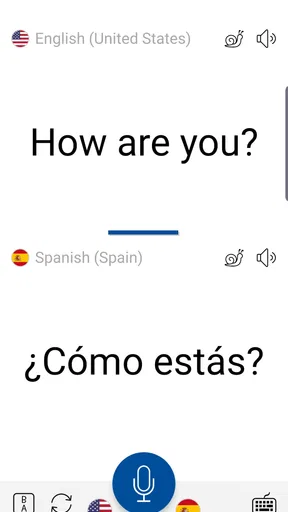
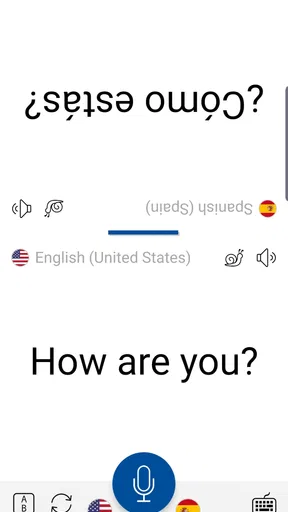
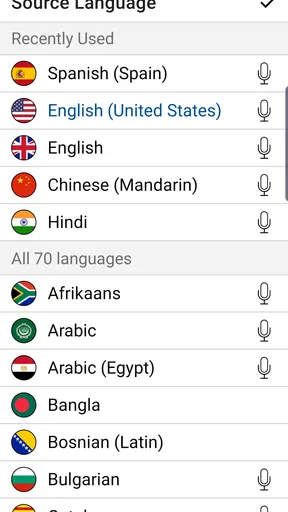
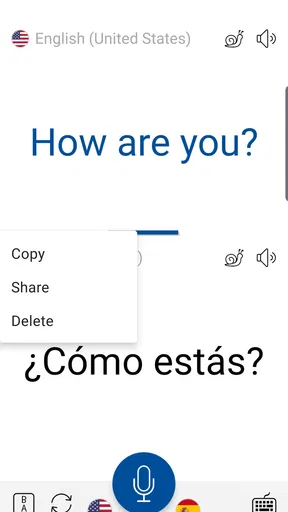
Our Review of Instant Voice Translate
 Analysis by Appyee
I’d treat Instant Voice Translate as a handy conversation aid, not a substitute for a professional interpreter. Its strongest appeal is the way it brings spoken, typed and image-based translation into one travel-focused app, with a design aimed at face-to-face exchanges. That makes it useful when a conversation is brief and practical: asking where to catch a bus, checking what a menu item contains, or confirming which direction to take.
The experience still depends on the situation. A quiet, one-to-one exchange gives a voice translator a better chance than a crowded station, and a quick translation should not be trusted blindly for medical, legal or other high-stakes decisions. I’d use it to get a conversation moving, then confirm important details in simpler words or with another method.
What the current version is built for
Instant Voice Translate is a free Travel & Local app from Erudite. Its current version is 13.0.2, and it runs on Android 6.0 and later. The app is rated for Everyone, while optional in-app purchases range from $1.99 to $99.99 per item. I’d check the purchase screen carefully before confirming anything, especially if I only need occasional translations.
Its face-to-face focus is a practical distinction from a basic dictionary. Instead of making you search for a phrase first, the app is intended to help two people communicate by speaking, typing or using an image. That combination suits travel moments when you may not know how to spell a place name or identify a word on a sign. It is less compelling if your main goal is studying grammar or building a structured language course; a dedicated learning app is a better fit for that routine.
There is a useful preparation step before relying on it outside. I’d select the languages I expect to use and try a few ordinary phrases while I still have time to check the result. That helps reveal whether the chosen language pair and the way I speak are working well enough for the conversation ahead. It also avoids fumbling with settings while someone is waiting for an answer.
How to get better results in a real conversation
Voice translation works best when each person takes a short turn. I’d avoid long explanations, slang and several questions in one breath. Say one idea, pause for the translation, and let the other person respond before continuing. This makes it easier to notice a misunderstanding and correct it before it spreads through a longer exchange.
For a noisy café or a windy street, the text option is a sensible fallback: type a short sentence, then show the translated result rather than repeatedly speaking louder. Image translation can also help when the words are already in front of you, such as on a menu or sign. I would still check the surrounding context, since translating a fragment of text may not communicate the full meaning of an instruction or dish description.
A realistic example is arriving at a hotel after a delayed journey and needing to ask whether a bag can be left before check-in. I’d keep the question simple, use voice if the lobby is quiet, and switch to typing if the app or the other person has trouble catching the words. If the answer includes a time or a condition, I’d repeat that detail back in a short question rather than assuming the first translation settled everything.
Where it fits among translation tools
Compared with a phrasebook, this app is more flexible when the other person’s reply is not predictable. A phrasebook is still quicker for a familiar request, and it can be reassuring when you want a rehearsed sentence without waiting for speech recognition. A general-purpose translator may be preferable when you need to work with longer passages or translate text outside a live conversation. The useful choice depends on the task, not on which tool claims to do everything.
For a traveler, the main advantage here is having multiple ways to bridge a short exchange in one place. For a language learner, the app may help with pronunciation practice, but I wouldn’t treat an instant translation as a lesson in why a sentence is grammatically correct. It can support curiosity and low-pressure practice; a structured course or a patient human conversation partner is stronger for sustained progress.
One trade-off worth considering is that convenience can encourage overconfidence. If a translated sentence sounds polished, it may still miss tone, local usage or a small but important distinction. I’d use the result as a starting point, especially when asking for directions or ordering food, and use extra care for allergies, medication, money or travel changes. In those cases, confirming the key word or showing the original text can be more responsible than treating a smooth-sounding sentence as proof.
Who is likely to find it useful
I’d recommend trying it if you travel somewhere you do not speak the local language, have occasional face-to-face conversations across languages, or want a quick way to understand printed words while out and about. It is especially practical for people who prefer to start talking rather than compose every sentence in advance. The app’s rating is 4.8 from around 305,000 ratings, and it has passed 10 million installs, which suggests that many people have found a use for it, though those figures cannot tell you how well it handles your particular language pair or surroundings.
I’d skip it if you need guaranteed precision for consequential conversations, expect to translate long documents, or want a full curriculum with lessons and progress tracking. It also may not be the best first choice if you already know that a fixed set of rehearsed phrases covers your trip; a compact phrasebook can be simpler. The app has received 3,200 reviews, and it first appeared on February 21, 2020, but age and popularity matter less than whether its workflow suits the way you actually communicate.
What to keep in mind as you use it
The biggest practical question is whether it will work when you need it. I’d test the features I plan to rely on before leaving home, including the language selection and the camera or text workflow if those matter to me. In travel, a backup plan is still worthwhile: save essential addresses in their original script, keep a few key phrases written down, and do not depend on a translator as the only way to handle an urgent problem.
Another question is whether it is suitable for two-way conversation. Its face-to-face orientation makes that use natural, but a smooth exchange still takes cooperation: people need to speak in turns, give the app time to process, and be willing to rephrase. If the other person is in a hurry or uncomfortable with a phone between you, a short prepared sentence or a human interpreter may work better.
Cost is also worth thinking through. The app is free to install, but it offers in-app purchases, so I’d review what an optional purchase includes and whether it matches my actual needs before paying. For a one-off trip, I would first see how far the free experience takes me; frequent travelers may judge the value differently if they rely on translation often.
Getting Started with Instant Voice Translate
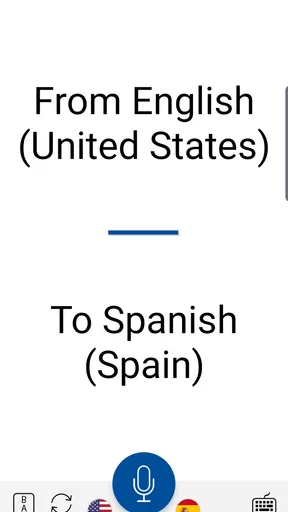
The first thing I noticed when I opened Instant Voice Translate was its sleek and straightforward interface. It’s designed to be user-friendly, so even if you’re not tech-savvy, you’ll find it a breeze to navigate. The app supports a wide range of languages, and the setup process is as easy as pie. Just select your input and output languages, and you’re good to go.
Real-Time Translation
This is where the magic happens. The real-time translation feature is incredibly efficient. I was skeptical at first—wondering if the translations would be accurate or timely—but I was pleasantly surprised. Speaking into the app gives you instant feedback, and the translations are impressively accurate. It feels almost like having a bilingual friend by your side.
During my trial, I tested out some basic phrases in Spanish, French, and Mandarin. The responses were quick and accurate, which is crucial when you're in a fast-paced environment like an airport or a bustling street market. Instant Voice Translate truly delivers on its promise of instant communication.
User-Friendly Features
One of my favorite features is the app's voice recognition capability. It can pick up on natural speech patterns, which makes the translations feel more organic and less robotic. Plus, there's a handy text option if you prefer typing out your phrases. This flexibility makes it accessible for different situations—whether you're in a noisy area or just prefer text communication.
The app also allows you to save frequently used phrases, which is a lifesaver for regular travelers or anyone who needs to rehearse specific dialogues. Imagine being able to quickly access a list of essential phrases without typing them out every time!
Offline Mode
Another standout feature is the offline mode. You can download language packs for use without an internet connection, which is perfect for those times when Wi-Fi is spotty or non-existent. This feature alone makes Instant Voice Translate a must-have travel companion, allowing you to stay connected and understood, no matter where you are.
Practical Applications
So, where does this app come in handy? Everywhere, honestly. I found it particularly useful during a recent trip to a multicultural food festival. Engaging with vendors and understanding the nuances of their offerings was a breeze. Not to mention, it made ordering food a lot more fun and interactive.
Beyond travel, this app is fantastic for language learners. You can practice pronunciation and get immediate feedback. It’s like having a teacher on-demand, ready to assist whenever you need it. Plus, it's a great icebreaker for meeting new people from different backgrounds.
Wrapping It Up
In a world that’s more connected than ever, being able to communicate across language barriers is invaluable. Instant Voice Translate isn't just an app; it's a tool that bridges gaps and fosters understanding. It’s perfect for travelers, language enthusiasts, and anyone who wants to expand their communication horizons.
So, if you're looking to break down language barriers and connect with the world more seamlessly, give Instant Voice Translate a try. It's reliable, efficient, and incredibly easy to use. You might just find it becomes your new favorite travel companion.
Privacy and Permissions
See what permissions an app requests and how it handles your data.
- Camera
- take pictures and videos
- Microphone
- record audio
- Wi-Fi connection information
- view Wi-Fi connections
- Other
- view network connections, full network access, prevent device from sleeping
Verdict
Strengths of Instant Voice Translate
- Supports multiple languages seamlessly.
- Real-time translation is fast and accurate.
- User-friendly interface with intuitive design.
- Offline mode available for key languages.
- Speech-to-text functionality is impressive.
Limitations of Instant Voice Translate
- Requires internet for full feature access.
- Some translations lack contextual accuracy.
- Limited offline language support.
- Voice recognition can be inconsistent.
- Ads can be intrusive in free version.
Similar Picks in This Category
View All
Google Maps
Google LLC3.4

Google Maps Go
Google LLC4.1

Booking.com: Hotels & Travel
Booking.com Hotels & Vacation Rentals4.8

Google Earth
Google LLC3.8

Skyscanner Flights Hotels Cars
Skyscanner Ltd4.8

trivago: Compare hotel prices
trivago N.V.4.4
Frequently Asked Questions
What languages does Instant Voice Translate support?
Instant Voice Translate supports over 100 languages, making it a versatile tool for global communication. Whether you need to translate from English to Mandarin or Spanish to French, this app has you covered. It can handle a wide range of languages and dialects, ensuring accurate translations for most common languages worldwide.
How accurate is the translation provided by the app?
The accuracy of Instant Voice Translate is generally high, thanks to its advanced AI algorithms. However, like any translation tool, it is not perfect. While simple phrases and common sentences are translated accurately, more complex sentences or idioms might require manual verification. It's always a good idea to double-check critical translations.
Is an internet connection required to use Instant Voice Translate?
Yes, Instant Voice Translate requires an internet connection to function effectively. This is because it uses cloud-based technology to process and deliver translations. While some offline capabilities are available for certain languages, the full range of features and the best accuracy is achieved with an internet connection.
What are the main features of Instant Voice Translate?
Instant Voice Translate offers voice-to-voice translation, text translation, and camera translation for signs and menus. It also includes a conversation mode for real-time dialogue translations and a phrasebook feature for saving commonly used translations. These features make it a comprehensive tool for travelers and language learners alike.
Is Instant Voice Translate free to use?
Instant Voice Translate offers a free version with basic features, but more advanced features require a subscription. The premium version includes benefits such as ad-free usage, enhanced translation accuracy, and access to a wider range of languages offline. Users can choose between monthly and yearly subscription plans based on their needs.
